📐 Trigonometry Calculator 🧮
📐 Comprehensive trigonometric toolkit for students, engineers, and professionals 📐
✨ 💡 Professional Trigonometry Calculator: Supports 24+ trigonometric and hyperbolic functions, advanced triangle solver with 5 cases (including ambiguous SSA), angle unit conversion between 4 systems, and complete identities reference. All calculations include step-by-step breakdowns and visual representations.
🎯 🛡️ Scientific Precision: Adjustable decimal precision from 0 to 15 places. All results are mathematically validated with domain checking, special angle detection, and educational explanations. Perfect for students, engineers, and researchers worldwide.
🌍 🌐 International Standard: Supports Degrees (°), Radians (rad), Gradians (gon), and Turns (rev). Works with any angle magnitude including negative and large angles. Complies with IEEE 754 floating-point arithmetic standards.
⌨️ Keyboard Shortcuts
⚡ Ctrl+Enter Calculate | 🔄 Ctrl+R Reset | 📑 Ctrl+1-6 Switch Tabs | ✕ Esc Close Results
💡 Quick Examples
🧮 ∑ Basic Trigonometric Functions (sin θ, cos θ, tan θ)
↻ Inverse Trigonometric Functions (arcsin, arccos, arctan)
⚠️ Domain Restrictions: arcsin & arccos require input in [−1, 1]. arcsec & arccsc require |input| ≥ 1. arctan & arccot accept any real number.
📈 🔍 Hyperbolic Functions (sinh, cosh, tanh)
⚠️ Domain Notes: arcosh(x) requires x ≥ 1. artanh(x) requires |x| < 1. arsech(x) requires 0 < x ≤ 1. arcoth(x) requires |x| > 1.
🔺 🧷 Triangle Solver (SSS, SAS, ASA, AAS, SSA)
ℹ️ Convention: Side a is opposite angle ∠A, side b opposite angle ∠B, side c opposite angle ∠C. Fill only the enabled fields based on your selected case.
→ ↠ Angle Unit Converter (°, rad, gon, rev)
📚 📚 Trigonometric Identities Reference
특 Pythagorean Identities
| Sine-Cosine | sin²θ + cos²θ = 1 |
| Tangent-Secant | 1 + tan²θ = sec²θ |
| Cotangent-Cosecant | 1 + cot²θ = csc²θ |
↩️ ↫ Reciprocal Identities
| Cosecant | csc θ = 1 / sin θ |
| Secant | sec θ = 1 / cos θ |
| Cotangent | cot θ = 1 / tan θ = cos θ / sin θ |
÷ ÷ Quotient Identities
| Tangent | tan θ = sin θ / cos θ |
| Cotangent | cot θ = cos θ / sin θ |
🔄 ⟲ Co-Function Identities
| Sine | sin(90° − θ) = cos θ |
| Cosine | cos(90° − θ) = sin θ |
| Tangent | tan(90° − θ) = cot θ |
| Cosecant | csc(90° − θ) = sec θ |
| Secant | sec(90° − θ) = csc θ |
| Cotangent | cot(90° − θ) = tan θ |
± ± Even / Odd Identities
| Sine (odd) | sin(−θ) = −sin θ |
| Cosine (even) | cos(−θ) = cos θ |
| Tangent (odd) | tan(−θ) = −tan θ |
| Cosecant (odd) | csc(−θ) = −csc θ |
| Secant (even) | sec(−θ) = sec θ |
| Cotangent (odd) | cot(−θ) = −cot θ |
+ + Sum / Difference Formulas
| Sine sum | sin(α + β) = sin α cos β + cos α sin β |
| Sine diff | sin(α − β) = sin α cos β − cos α sin β |
| Cosine sum | cos(α + β) = cos α cos β − sin α sin β |
| Cosine diff | cos(α − β) = cos α cos β + sin α sin β |
| Tangent sum | tan(α + β) = (tan α + tan β) / (1 − tan α tan β) |
| Tangent diff | tan(α − β) = (tan α − tan β) / (1 + tan α tan β) |
2θ 2θ Double Angle Formulas
| Sine | sin(2θ) = 2 sin θ cos θ |
| Cosine (form 1) | cos(2θ) = cos²θ − sin²θ |
| Cosine (form 2) | cos(2θ) = 2 cos²θ − 1 |
| Cosine (form 3) | cos(2θ) = 1 − 2 sin²θ |
| Tangent | tan(2θ) = 2 tan θ / (1 − tan²θ) |
θ/2 θ/2 Half Angle Formulas
| Sine | sin(θ/2) = ±√[(1 − cos θ) / 2] |
| Cosine | cos(θ/2) = ±√[(1 + cos θ) / 2] |
| Tangent (form 1) | tan(θ/2) = sin θ / (1 + cos θ) |
| Tangent (form 2) | tan(θ/2) = (1 − cos θ) / sin θ |
× × Product-to-Sum Formulas
| sin A · sin B | ½[cos(A − B) − cos(A + B)] |
| cos A · cos B | ½[cos(A − B) + cos(A + B)] |
| sin A · cos B | ½[sin(A + B) + sin(A − B)] |
= = Sum-to-Product Formulas
| sin A + sin B | 2 sin[(A + B)/2] cos[(A − B)/2] |
| sin A − sin B | 2 cos[(A + B)/2] sin[(A − B)/2] |
| cos A + cos B | 2 cos[(A + B)/2] cos[(A − B)/2] |
| cos A − cos B | −2 sin[(A + B)/2] sin[(A − B)/2] |
⊽ ∽ Law of Sines, Cosines & Tangents
| Law of Sines | a/sin A = b/sin B = c/sin C = 2R |
| Law of Cosines | c² = a² + b² − 2ab · cos C |
| Law of Tangents | (a − b)/(a + b) = tan[(A − B)/2] / tan[(A + B)/2] |
📊 Common Trigonometric Values
| Angle | sin | cos | tan |
|---|---|---|---|
| 0° (0 rad) | 0 | 1 | 0 |
| 30° (π/6) | 1/2 | √3/2 | √3/3 |
| 45° (π/4) | √2/2 | √2/2 | 1 |
| 60° (π/3) | √3/2 | 1/2 | √3 |
| 90° (π/2) | 1 | 0 | undefined |
| 120° (2π/3) | √3/2 | -1/2 | -√3 |
| 135° (3π/4) | √2/2 | -√2/2 | -1 |
| 150° (5π/6) | 1/2 | -√3/2 | -√3/3 |
| 180° (π) | 0 | -1 | 0 |
| 270° (3π/2) | -1 | 0 | undefined |
| 360° (2π) | 0 | 1 | 0 |
Mathematics has always played a crucial role in understanding the world around us. From measuring distances and designing buildings to analyzing waves and predicting motion, mathematical concepts are deeply integrated into science, engineering, and everyday technology. One of the most important branches of mathematics that supports these applications is Trigonometry. This field focuses on the relationships between angles and sides of triangles, and it forms the foundation for many advanced scientific and technical calculations.
In the past, solving trigonometric problems required extensive manual calculations using mathematical tables or complex formulas. Students and professionals often relied on printed sine, cosine, and tangent tables to determine values for specific angles. While this method worked, it was time-consuming and prone to human error. As technology advanced, digital tools were developed to simplify these calculations and make them far more accessible. Today, one of the most helpful tools for handling these tasks is a trigonometry calculator.
A trigonometry calculator is a digital tool designed to compute trigonometric functions quickly and accurately. It allows users to calculate values such as sine, cosine, tangent, and their inverse functions within seconds. Instead of manually applying formulas or consulting mathematical tables, users can simply input an angle or value and instantly obtain precise results. This efficiency makes trigonometric calculators extremely valuable for students, teachers, engineers, scientists, and anyone who regularly works with mathematical calculations.
Modern trigonometry calculators are not limited to basic function calculations. Many online tools now include advanced capabilities such as graph visualization, equation solving, and step-by-step explanations. These features help users not only obtain answers but also understand how the solutions are derived. As a result, a trigonometry calculator has become both a computational tool and a powerful learning resource.
The growing availability of online mathematical tools has further increased the popularity of trigonometry calculators. With just a web browser or mobile device, users can access powerful calculation engines without installing complex software. These online platforms often combine the functions of a scientific calculator with interactive learning features, making them suitable for both beginners and advanced users.
Another reason trigonometry calculators have become essential is the increasing complexity of modern education and technical fields. Subjects such as physics, computer graphics, navigation systems, architecture, and engineering frequently rely on trigonometric formulas. Performing these calculations manually can slow down problem solving and increase the chance of mistakes. By using a reliable calculator, professionals can focus more on analysis and design rather than repetitive computation.
For students, trigonometry calculators provide a practical way to explore mathematical concepts more deeply. By experimenting with different angles and observing how trigonometric values change, learners can develop a stronger understanding of mathematical relationships. Visual graphing tools also help illustrate how trigonometric functions behave, including periodic patterns, amplitude changes, and phase shifts. These visual insights make abstract mathematical ideas easier to grasp.
In addition, the integration of technology in education has encouraged teachers to incorporate digital tools into the classroom. Instead of spending large amounts of time performing routine calculations, educators can focus on explaining concepts, solving real-world problems, and encouraging critical thinking. A trigonometry calculator supports this approach by handling complex computations while allowing students to concentrate on understanding the underlying mathematics.
The practical applications of trigonometry calculators extend far beyond the classroom. Engineers use them when designing structures and analyzing mechanical systems. Architects rely on trigonometric calculations when determining angles and dimensions in building designs. In physics, trigonometry is essential for studying wave motion, oscillations, and vector analysis. Even technologies such as satellite navigation and computer animation depend heavily on trigonometric principles.
As digital technology continues to evolve, the capabilities of trigonometry calculators are also expanding. Many modern tools now integrate advanced algorithms, interactive graphs, and even artificial intelligence to assist users with solving complex mathematical problems. These innovations make mathematical calculations faster, more accurate, and easier to understand than ever before.
Overall, the trigonometry calculator has become an indispensable tool in both education and professional fields. It simplifies complicated calculations, improves accuracy, and helps users explore mathematical concepts in a more interactive way. As mathematics remains a fundamental part of scientific and technological progress, tools like trigonometry calculators will continue to play a vital role in helping people solve problems and develop new innovations.
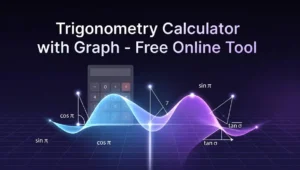
What Is a Trigonometry Calculator?
A trigonometry calculator is a digital tool designed to compute trigonometric functions such as sine, cosine, and tangent, along with their inverse counterparts. It simplifies complex angle-based calculations that would otherwise require manual formulas, tables, or lengthy derivations. Whether embedded in a scientific calculator, available as a web-based tool, or built into a mobile application, it plays a central role in modern mathematics and applied sciences.
At its core, a trigonometry calculator allows users to input an angle or value and instantly obtain precise results. This capability is especially useful in fields where accuracy and speed are critical, including engineering, physics, architecture, and computer graphics.
Trigonometry itself studies the relationships between angles and sides of triangles, particularly right-angled triangles. Over time, its applications have expanded far beyond geometry into wave analysis, signal processing, astronomy, and even game development. A trigonometry calculator acts as a bridge between theoretical concepts and real-world problem-solving.
Why Students and Professionals Use Trigonometric Tools
Students rely heavily on trigonometry calculators to solve equations, verify homework answers, and understand mathematical concepts more clearly. Instead of spending excessive time on manual calculations, they can focus on learning the logic behind the formulas.
Professionals, on the other hand, use these tools to ensure precision in their work. Engineers use trigonometric calculations to design structures, analyze forces, and model systems. Surveyors measure land angles and distances accurately. Developers apply trigonometric functions in graphics rendering, animation, and simulations.
The key reasons for widespread usage include:
- Time efficiency in solving complex problems
- Reduced human error in calculations
- Accessibility across devices and platforms
- Support for both simple and advanced mathematical operations
The Importance of Trigonometry in Modern Education and Technology
Trigonometry is foundational in STEM education. It introduces students to concepts that are essential for advanced mathematics, including calculus and linear algebra. Beyond academics, it is deeply embedded in modern technology.
Applications of trigonometry include:
- GPS and navigation systems
- Sound wave analysis in audio engineering
- Light and optics in physics
- Structural design in civil engineering
- Rotation and movement in computer graphics
Without trigonometry, many modern innovations would not exist. A trigonometry calculator makes these complex applications manageable and accessible to a broader audience.
Basic Functions Available in a Trigonometry Calculator
A trigonometry calculator offers a range of functions that cater to both beginners and advanced users. These functions form the backbone of trigonometric problem-solving.
Sine (sin), Cosine (cos), Tangent (tan)
These are the three primary trigonometric functions:
- Sine (sin): Ratio of the opposite side to the hypotenuse
- Cosine (cos): Ratio of the adjacent side to the hypotenuse
- Tangent (tan): Ratio of the opposite side to the adjacent side
A trigonometry calculator allows users to quickly compute these values for any angle. For example, entering sin(30°) instantly returns 0.5.
These functions are widely used in:
- Calculating heights and distances
- Modeling periodic waves
- Analyzing oscillations
Inverse Trigonometric Functions
Inverse functions help determine the angle when the ratio is known:
- arcsin (sin⁻¹)
- arccos (cos⁻¹)
- arctan (tan⁻¹)
These are particularly useful in real-world scenarios where measurements are known but angles need to be calculated, such as in navigation or construction.
Degree and Radian Modes
Trigonometry calculators support two angle measurement systems:
- Degrees: Commonly used in everyday applications
- Radians: Preferred in higher mathematics and physics
Switching between these modes is essential, as incorrect settings can lead to wrong results. For instance, sin(90°) equals 1, but sin(90 radians) yields a completely different value.
Graphing Features in Advanced Calculators
Advanced trigonometry calculators provide graphing capabilities, allowing users to visualize functions like y = sin(x) or y = cos(x). These graphs help users understand patterns such as:
- Periodicity
- Amplitude
- Phase shifts
Graphing tools are especially helpful for students learning wave behavior and function transformations.
Why Trigonometry Calculators Are Essential Today
Faster Problem Solving
Manual trigonometric calculations can be time-consuming, especially when dealing with non-standard angles or complex equations. A calculator reduces this process to seconds, making it ideal for exams, assignments, and professional tasks.
Accuracy in Mathematical Computation
Human error is a common issue in manual calculations. A trigonometry calculator minimizes this risk by providing precise results, often up to several decimal places. This level of accuracy is crucial in engineering and scientific research.
Helpful for Education, Engineering, Physics, and Navigation
Trigonometry calculators are indispensable across multiple disciplines:
- Education: Enhances learning and understanding
- Engineering: Supports design and analysis
- Physics: Assists in modeling waves and forces
- Navigation: Helps determine direction and distance
Their versatility makes them a must-have tool in both academic and professional environments.
How a Trigonometry Calculator Works
Understanding how a trigonometry calculator operates provides insight into its reliability and efficiency.
Mathematical Principles Behind Trigonometric Calculations
Introduction to Trigonometric Ratios
Trigonometric ratios are based on the relationships between the sides of a right triangle. These ratios remain consistent for a given angle, forming the basis of trigonometric functions.
Unit Circle Concept
The unit circle is a fundamental concept in trigonometry. It is a circle with a radius of 1 centered at the origin of a coordinate plane. Angles are measured from the positive x-axis, and each point on the circle corresponds to cosine (x-coordinate) and sine (y-coordinate).
This concept allows calculators to compute trigonometric values for any angle, not just those in right triangles.
Relationship Between Angles and Triangles
Trigonometry extends beyond right triangles to include all angles using the unit circle. This broader perspective enables calculations involving rotations, oscillations, and periodic functions.
Algorithms Used in Digital Trigonometry Calculators
Taylor Series Approximation
Many calculators use Taylor series to approximate trigonometric functions. This involves expanding functions into infinite sums of polynomial terms. While the full series is infinite, calculators use a finite number of terms to achieve high accuracy.
CORDIC Algorithm Used in Many Calculators
CORDIC (Coordinate Rotation Digital Computer) is an efficient algorithm used in hardware calculators. It computes trigonometric functions using only addition, subtraction, bit shifts, and table lookups.
This method is fast and requires minimal computational resources, making it ideal for embedded systems.
Floating-Point Precision in Calculations
Trigonometry calculators rely on floating-point arithmetic to represent real numbers. While highly accurate, floating-point calculations can introduce small rounding errors. Advanced calculators minimize these errors through optimized algorithms.
Degree vs Radian Mode in Trigonometric Calculations
Differences Between Degree and Radian Measurement
- Degrees: Divide a circle into 360 parts
- Radians: Based on the radius of the circle (2π radians in a full circle)
Radians are more natural for mathematical analysis, especially in calculus.
When to Use Each Format
- Use degrees for practical applications like navigation and construction
- Use radians for advanced mathematics, physics, and engineering
Practical Examples
- sin(90°) = 1
- sin(π/2 radians) = 1
Both represent the same angle, just in different units.
Key Features of an Online Trigonometry Calculator
Online trigonometry calculators have evolved significantly, offering features that go beyond basic computations.
Instant Angle Calculations
Users can input angles directly and receive immediate results. These tools support multiple input formats, including:
- Decimal values
- Fractions
- π-based expressions
This flexibility makes them user-friendly for both beginners and advanced users.
Graph Visualization Tools
Graphing features allow users to visualize trigonometric functions in real time.
Graphing Trigonometric Functions
Users can plot functions like:
- y = sin(x)
- y = cos(x)
- y = tan(x)
Understanding Wave Patterns
Graphs reveal important characteristics such as:
- Repeating cycles
- Symmetry
- Intersections
Period, Amplitude, and Phase Shift
These parameters define the shape and position of trigonometric graphs:
- Period: Length of one complete cycle
- Amplitude: Height of the wave
- Phase shift: Horizontal displacement
Understanding these helps in analyzing real-world wave phenomena.
Step-by-Step Trigonometric Solutions
Some advanced calculators provide detailed solution steps. This feature is particularly valuable for students who want to understand the process, not just the final answer.
Benefits include:
- Improved conceptual understanding
- Better exam preparation
- Reduced reliance on guesswork
Multi-Function Mathematical Tools
Modern trigonometry calculators often include additional features such as:
- Logarithmic and exponential functions
- Matrix calculations
- Equation solvers
These tools transform a simple calculator into a comprehensive mathematical assistant.
Types of Trigonometry Calculators Available Online
Different types of trigonometry calculators cater to varying needs, from basic learning to advanced analysis.
Basic Trigonometric Function Calculators
These calculators focus on simple operations like sin, cos, and tan. They are ideal for beginners and quick calculations.
Features include:
- Easy-to-use interface
- Fast results
- Minimal input requirements
They are commonly used by high school students.
Scientific Trigonometry Calculators
Scientific calculators offer a broader range of functions, including:
- Inverse trigonometric functions
- Logarithms and exponents
- Statistical calculations
They are suitable for university-level studies and professional use.
Graphing Trigonometry Calculators
Graphing calculators provide visual representations of functions, making them ideal for understanding complex concepts.
Advantages include:
- Visual learning support
- Ability to analyze function behavior
- Interactive graph manipulation
These tools are widely used in advanced mathematics courses.
Mobile App Trigonometry Calculators
Mobile apps bring convenience and portability to trigonometric calculations.
Key benefits:
- Access anytime, anywhere
- Offline functionality
- User-friendly interfaces
They are especially useful for students and professionals who need quick calculations on the go.
Benefits of Using a Trigonometry Calculator
Trigonometry can quickly shift from simple angle relationships to complex equations involving identities, functions, and real-world applications. A trigonometry calculator acts as a bridge between theory and practice, helping users solve problems efficiently while deepening their understanding of mathematical concepts. Whether used by students, engineers, or researchers, these tools offer significant advantages that go far beyond simple computation.
Saving Time in Complex Mathematical Problems
One of the most immediate benefits of a trigonometry calculator is how much time it saves. Complex trigonometric equations often involve multiple steps, conversions, and identities that can take several minutes—or even longer—when solved manually.
Manual vs Automated Calculation
Manual calculations require a strong grasp of formulas, careful algebraic manipulation, and precise arithmetic. Even a small mistake in one step can lead to incorrect results, forcing users to redo the entire process. This can be frustrating, especially under time constraints such as exams or project deadlines.
Automated calculations, on the other hand, allow users to input values and receive results almost instantly. Modern calculators can handle sine, cosine, tangent, inverse functions, and even more advanced operations like hyperbolic functions and angle conversions. This automation frees up mental energy, allowing users to focus on understanding the problem rather than getting lost in computation.
For example, solving an equation like:
sin(θ) = 0.866
Manually requires recalling that sin(60°) = 0.866, while a calculator provides the answer immediately, including multiple possible solutions depending on the context.
Improving Learning Efficiency
A trigonometry calculator is not just a shortcut—it can also be a powerful learning tool when used correctly.
Helps Understand Trigonometric Identities
Students often struggle with identities such as:
sin²θ + cos²θ = 1
tanθ = sinθ / cosθ
By using a calculator to test these identities with different values, learners can see how they hold true in practice. This experimentation reinforces conceptual understanding and builds confidence.
Visual Learning with Graphs
Many advanced calculators and online tools include graphing features. These allow users to visualize trigonometric functions like sine and cosine waves. Seeing how these functions behave over different intervals helps learners grasp concepts like amplitude, frequency, and phase shift.
For instance, plotting y = sin(x) and y = cos(x) reveals their periodic nature and phase difference. This visual approach is especially useful for students who learn better through images rather than abstract equations.
Reducing Calculation Errors
Accuracy is critical in mathematics, especially in fields where small errors can lead to significant consequences.
Accuracy Compared with Manual Methods
Manual calculations are prone to human error—misplaced decimals, incorrect formula application, or rounding mistakes. A trigonometry calculator minimizes these risks by performing precise computations based on programmed algorithms.
For example, calculating cos(37°) manually using tables or approximations may yield a slightly inaccurate result, while a calculator provides a value accurate to several decimal places. This level of precision is essential in fields like engineering and physics.
Accessibility for Students Worldwide
Trigonometry calculators have become widely accessible, making them an essential tool for learners across the globe.
Free Online Tools
There are numerous free online trigonometry calculators available. These tools require no installation and can be accessed from any device with an internet connection. This accessibility ensures that students from different backgrounds can benefit from advanced mathematical tools without financial barriers.
Educational Technology Support
Educational platforms now integrate trigonometry calculators into their systems. These tools often come with step-by-step solutions, interactive graphs, and explanations, turning them into comprehensive learning aids. This integration supports both self-paced learning and formal education.
Practical Applications of Trigonometry Calculators
Trigonometry is not just an academic subject—it plays a crucial role in many real-world applications. A trigonometry calculator makes it easier to apply mathematical concepts in practical scenarios.
Engineering and Architecture
Trigonometry is fundamental in designing structures and ensuring their stability.
Structural Design Calculations
Engineers use trigonometric functions to calculate forces, angles, and dimensions in structures such as bridges and buildings. A calculator simplifies these computations, enabling quick adjustments and accurate designs.
For example, determining the angle of a support beam or the height of a structure often involves trigonometric relationships. A calculator ensures these values are precise.
Measuring Angles and Distances
Surveyors and architects rely on trigonometry to measure land and plan layouts. By inputting known values into a calculator, they can determine unknown distances or angles efficiently.
Physics and Scientific Research
Trigonometry is deeply embedded in physics, particularly in the study of waves and motion.
Wave Analysis
Sine and cosine functions describe wave behavior. Scientists use trigonometry calculators to analyze wave properties such as amplitude, frequency, and phase.
Motion and Oscillation Calculations
Oscillatory motion, such as pendulums and springs, involves trigonometric equations. Calculators help researchers model these systems and predict their behavior under different conditions.
Navigation and GPS Technology
Modern navigation systems rely heavily on trigonometry.
Satellite Positioning Systems
GPS technology uses trigonometric calculations to determine positions on Earth. A trigonometry calculator helps engineers and developers simulate and refine these calculations.
Geographical Measurements
Trigonometry is used to measure distances between locations on Earth, taking into account its curvature. Calculators simplify these complex computations.
Computer Graphics and Game Development
Trigonometry is essential in creating realistic digital environments.
3D Rendering Calculations
Angles and distances are crucial in rendering 3D objects. Trigonometric functions determine how objects are displayed from different perspectives.
Animation Physics
Game developers use trigonometry to simulate motion, rotation, and collisions. A calculator helps ensure these movements are realistic and mathematically accurate.
Step-by-Step Guide to Using a Trigonometry Calculator
Understanding how to use a trigonometry calculator effectively can significantly improve both speed and accuracy.
Entering Angles Correctly
One of the most common mistakes is entering angles in the wrong unit.
Degree vs Radian Input
Calculators typically operate in either degree or radian mode. It is essential to ensure the correct mode is selected before performing calculations.
- Degrees are commonly used in everyday applications.
- Radians are often used in higher-level mathematics and physics.
For example:
- sin(90°) = 1 (degree mode)
- sin(π/2) = 1 (radian mode)
Entering the wrong unit can lead to completely incorrect results.
Calculating Basic Trigonometric Values
Basic functions include sine, cosine, and tangent.
Example Calculations
To calculate sin(30°):
- Set the calculator to degree mode.
- Enter 30.
- Press the sin button.
- The result should be 0.5.
Similarly:
- cos(60°) = 0.5
- tan(45°) = 1
Practicing these calculations helps users become familiar with the calculator’s interface.
Solving Triangles Using the Calculator
Trigonometry calculators are particularly useful for solving triangles.
Right Triangle Calculations
In a right triangle, the Pythagorean theorem and basic trigonometric ratios are used:
sinθ = opposite / hypotenuse
cosθ = adjacent / hypotenuse
tanθ = opposite / adjacent
By inputting known values, the calculator can determine unknown sides or angles.
Law of Sine and Law of Cosine
For non-right triangles, the law of sine and law of cosine are used:
Law of Sine:
a / sin(A) = b / sin(B) = c / sin(C)
Law of Cosine:
c² = a² + b² − 2ab cos(C)
A trigonometry calculator simplifies these formulas, allowing users to solve complex triangles quickly.
Using Inverse Trigonometric Functions
Inverse functions help find angles when ratios are known.
Finding Angles from Known Ratios
For example:
If sinθ = 0.5, then θ = sin⁻¹(0.5) = 30°
Calculators provide inverse functions such as:
- sin⁻¹ (arcsin)
- cos⁻¹ (arccos)
- tan⁻¹ (arctan)
These are essential for solving real-world problems where angles must be determined from measurements.
Trigonometry Calculator for Students and Teachers
Trigonometry calculators play a significant role in education, supporting both teaching and learning processes.
Supporting Mathematics Education
Learning Assistance for Algebra and Geometry
Trigonometry is closely linked with algebra and geometry. Calculators help students connect these subjects by providing quick solutions and visual representations.
For instance, solving equations involving trigonometric functions often requires algebraic manipulation. A calculator can verify results and reinforce learning.
Homework and Assignment Help
Step-by-Step Problem Solving
Many modern calculators provide step-by-step solutions, showing how a problem is solved rather than just giving the final answer. This feature is especially helpful for students who want to understand the process.
It also reduces frustration, as learners can identify where they made mistakes and correct them.
Classroom Demonstrations
Graph Visualization for Teaching
Teachers can use trigonometry calculators to demonstrate concepts in real time. Graphing features allow them to show how functions change with different parameters.
For example, adjusting the amplitude or frequency of a sine wave helps students see the immediate effect on the graph. This interactive approach makes lessons more engaging and easier to understand.
Common Trigonometry Problems Solved Using Calculators
Trigonometry often feels intimidating at first, but with the help of modern calculators—especially online trigonometry calculators—many complex problems become manageable, even intuitive. Whether you’re a student, engineer, designer, or just someone brushing up on math skills, understanding how calculators assist in solving trigonometric problems can save time and improve accuracy.
Today’s trigonometry tools go far beyond basic sine and cosine functions. They integrate advanced algorithms, graphical visualization, and real-time computation, making them essential for both academic and professional applications.
Finding Trigonometric Ratios
Trigonometric ratios—sine (sin), cosine (cos), and tangent (tan)—are the foundation of trigonometry. These ratios relate the angles of a triangle to the lengths of its sides.
In a right triangle:
- sin(θ) = opposite / hypotenuse
- cos(θ) = adjacent / hypotenuse
- tan(θ) = opposite / adjacent
A trigonometry calculator allows users to instantly compute these ratios without manual calculation. For example, if you input an angle of 30 degrees:
- sin(30°) = 0.5
- cos(30°) ≈ 0.866
- tan(30°) ≈ 0.577
Modern calculators also support:
- Degree and radian conversion
- Inverse functions (arcsin, arccos, arctan)
- High precision decimal outputs
This is especially useful when solving physics problems, engineering calculations, or even basic geometry homework.
Solving Right Triangles
Right triangle problems are among the most common in trigonometry. Typically, you’re given:
- One angle and one side, or
- Two sides
And you’re asked to find the remaining sides or angles.
With a trigonometry calculator:
- Input the known values
- Select the appropriate function
- Instantly compute unknown variables
For example:
If a triangle has:
- Angle = 45°
- Hypotenuse = 10
Then:
- Opposite = 10 × sin(45°) ≈ 7.07
- Adjacent = 10 × cos(45°) ≈ 7.07
Advanced calculators can even solve entire triangles automatically, providing:
- All angles
- All side lengths
- Area and perimeter
This functionality is extremely helpful in architecture, navigation, and construction planning.
Evaluating Trigonometric Identities
Trigonometric identities are equations that hold true for all values of a variable. Common identities include:
- sin²θ + cos²θ = 1
- 1 + tan²θ = sec²θ
- 1 + cot²θ = csc²θ
Calculators help verify identities quickly by substituting values and simplifying expressions. Some advanced tools even:
- Symbolically simplify expressions
- Show step-by-step solutions
- Validate whether an identity is correct
This is particularly useful for students preparing for exams or solving algebra-heavy trigonometric proofs.
Calculating Angles in Real-World Problems
Trigonometry is deeply embedded in real-world applications. From determining the height of a building to calculating the angle of elevation in surveying, trigonometric calculations are everywhere.
Example:
You stand 50 meters away from a building, and the angle of elevation to the top is 60°. Using a calculator:
Height = 50 × tan(60°) ≈ 86.6 meters
Online trigonometry calculators simplify such real-world problems by:
- Allowing quick input of distances and angles
- Automatically selecting the correct formula
- Providing accurate outputs instantly
These tools are widely used in:
- Engineering
- Physics
- Astronomy
- Navigation systems
Understanding Core Trigonometric Concepts
Before fully relying on calculators, it’s important to understand the underlying concepts. A strong conceptual foundation ensures you use tools correctly and interpret results accurately.
The Unit Circle Explained
The unit circle is a circle with a radius of 1 centered at the origin (0,0) on a coordinate plane. It connects angles with trigonometric values.
Key points:
- cos(θ) = x-coordinate
- sin(θ) = y-coordinate
For example:
At 0° → (1, 0)
At 90° → (0, 1)
At 180° → (-1, 0)
Understanding the unit circle helps explain:
- Why sine and cosine values repeat
- How negative angles work
- The relationship between radians and degrees
Many modern calculators include interactive unit circle diagrams, making it easier to visualize trigonometric relationships.
Pythagorean Identity in Trigonometry
One of the most important identities is:
sin²θ + cos²θ = 1
This identity comes directly from the Pythagorean theorem and is essential for simplifying expressions and solving equations.
For example:
If sin(θ) = 0.6
Then:
cos(θ) = √(1 – 0.36) = 0.8
Calculators can:
- Automatically apply identities
- Simplify complex expressions
- Reduce errors in manual calculations
Periodic Nature of Trigonometric Functions
Trigonometric functions are periodic, meaning they repeat values over regular intervals.
- sin and cos repeat every 360° (2π radians)
- tan repeats every 180° (π radians)
This periodicity is important in:
- Signal processing
- Sound wave analysis
- Electrical engineering
Graphing calculators make it easy to observe these repeating patterns visually, helping users better understand function behavior.
Amplitude and Phase Shift
Amplitude refers to the height of a wave, while phase shift describes how the graph is shifted horizontally.
General sine function:
y = A sin(Bx + C)
Where:
- A = amplitude
- B = frequency
- C = phase shift
Calculators with graphing features allow users to:
- Adjust parameters dynamically
- Visualize transformations
- Analyze wave behavior in real time
This is particularly useful in physics and engineering fields dealing with oscillations and waves.
Advanced Functions in Modern Trigonometry Calculators
Modern calculators are no longer limited to basic operations. They now include advanced mathematical tools that support complex problem-solving.
Hyperbolic Trigonometric Functions
Hyperbolic functions include:
- sinh(x)
- cosh(x)
- tanh(x)
These functions are used in:
- Calculus
- Relativity
- Engineering
They resemble trigonometric functions but are based on hyperbolas instead of circles.
A calculator can compute:
- Hyperbolic values
- Inverse hyperbolic functions
- Applications in differential equations
Trigonometric Equation Solvers
Instead of manually solving equations like:
sin(x) = 0.5
A calculator can instantly provide:
- x = 30° + 360°k
- x = 150° + 360°k
Advanced solvers also:
- Show multiple solutions
- Handle radians and degrees
- Provide step-by-step breakdowns
This is especially useful for exam preparation and complex algebraic problems.
Graph Analysis Tools
Graphing is one of the most powerful features of modern calculators.
Users can:
- Plot multiple trigonometric functions
- Analyze intersections
- Identify maxima and minima
- Zoom in for detailed analysis
Graph analysis tools help users understand:
- Function behavior
- Transformations
- Real-world modeling
These tools are essential for students and professionals working with mathematical modeling.
Matrix and Vector Calculations
Trigonometry often intersects with linear algebra, especially in advanced applications.
Modern calculators can:
- Perform matrix multiplication
- Solve vector problems
- Handle transformations in 2D and 3D space
Applications include:
- Computer graphics
- Robotics
- Physics simulations
This integration makes trigonometry calculators more versatile than ever.
Tips for Choosing the Best Online Trigonometry Calculator
Not all calculators are created equal. Choosing the right tool can significantly impact your efficiency and accuracy.
Accuracy and Precision
Accuracy is critical in trigonometry, especially for engineering and scientific work.
Look for calculators that:
- Support high decimal precision
- Minimize rounding errors
- Use reliable algorithms
A good calculator should handle both simple and complex calculations without compromising accuracy.
User Interface and Ease of Use
A clean, intuitive interface makes a big difference.
Features to look for:
- Clear input fields
- Easy function selection
- Responsive design
An overly complicated interface can slow you down and increase the chance of mistakes.
Compatibility with Mobile Devices
With more users relying on smartphones, mobile compatibility is essential.
A good online calculator should:
- Work smoothly on mobile browsers
- Have responsive layouts
- Support touch input
This allows you to perform calculations anytime, anywhere.
Free vs Premium Mathematical Tools
Many trigonometry calculators are free, but premium versions often offer advanced features.
Free tools typically include:
- Basic trigonometric functions
- Simple equation solving
Premium tools may offer:
- Step-by-step solutions
- Graphing capabilities
- Advanced mathematical functions
Choosing between free and premium depends on your needs. Students may find free tools sufficient, while professionals might benefit from premium features.
Trigonometry Calculator vs Manual Calculation
Trigonometry has always been a cornerstone of mathematics, connecting geometry, algebra, and real-world problem solving. From calculating the height of a building to designing complex engineering systems, trigonometric functions such as sine, cosine, and tangent play a central role. In modern times, learners and professionals face a choice: rely on a trigonometry calculator or perform manual calculations.
Both approaches offer distinct benefits and trade-offs. Understanding when to use each method can significantly improve efficiency, accuracy, and conceptual understanding. This section explores the practical differences between calculator-based and manual trigonometry, supported by real-world use cases, current educational practices, and evolving digital tools.
Speed Comparison
Speed is one of the most obvious differences between using a trigonometry calculator and solving problems manually. In time-sensitive situations—such as exams, engineering tasks, or coding algorithms—a calculator dramatically reduces computation time.
Manual trigonometric calculations require several steps:
- Identifying the correct formula (e.g., sin, cos, tan, or identities)
- Substituting values correctly
- Performing algebraic simplifications
- Possibly converting between degrees and radians
- Using approximation methods or tables for values
For example, calculating sin(37°) manually without a calculator often involves interpolation from trigonometric tables or using series approximations like the Taylor series. This process can take several minutes and still result in rounding errors.
By contrast, a modern online trigonometry calculator or scientific calculator can deliver results instantly—often in milliseconds—with high precision. This is particularly valuable in:
- Engineering calculations
- Physics simulations
- Real-time data analysis
- Coding environments (e.g., Python, MATLAB)
In educational settings, students using calculators can solve more problems within a limited timeframe, allowing teachers to focus on conceptual understanding rather than repetitive computation.
However, speed is not always an advantage. Relying solely on calculators can lead to superficial learning. Students may input values without understanding underlying principles, which becomes problematic in advanced mathematics or when interpreting results.
A balanced approach is often recommended: use manual methods for learning fundamentals, then adopt calculators for efficiency once concepts are understood.
Accuracy Differences
Accuracy is another critical factor when comparing trigonometry calculators and manual calculations. Modern digital tools are designed to minimize human error and provide highly precise results.
Manual calculations are prone to several types of errors:
- Misapplying formulas
- Arithmetic mistakes
- Incorrect unit conversions (degrees vs radians)
- Rounding errors during intermediate steps
For instance, when solving cos(53°) manually, a small rounding mistake early in the calculation can lead to a significantly incorrect final result. In contrast, calculators use built-in algorithms and floating-point precision to deliver results accurate to many decimal places.
Online trigonometry calculators often include features such as:
- Automatic unit detection (degrees or radians)
- Step-by-step solutions
- Graph visualization
- Error checking and validation
Despite their accuracy, calculators are not completely foolproof. Common issues include:
- Input errors (e.g., entering degrees when radians are expected)
- Misinterpretation of results (especially in inverse functions)
- Over-reliance without verification
Interestingly, in professional environments such as engineering and physics, it is common practice to cross-check calculator results manually or conceptually. This ensures that outputs are reasonable and consistent with expectations.
Accuracy, therefore, is not just about precision—it also involves understanding whether a result makes sense in context.
Learning Advantages and Limitations
The educational impact of trigonometry calculators versus manual calculation is a topic of ongoing discussion among educators, researchers, and curriculum designers.
Manual calculation offers strong conceptual benefits:
- Deep understanding of trigonometric identities
- Improved problem-solving skills
- Stronger algebraic manipulation abilities
- Better retention of mathematical relationships
Students who practice manual trigonometry often develop a more intuitive grasp of concepts like:
- Unit circle relationships
- Angle transformations
- Periodicity and symmetry of functions
On the other hand, trigonometry calculators provide several learning advantages:
- Immediate feedback on answers
- Visualization of graphs and functions
- Ability to explore complex problems quickly
- Support for self-paced learning
For example, an interactive calculator that graphs y = sin(x) helps students visualize amplitude, frequency, and phase shifts in real time. This kind of visual learning is difficult to achieve through manual methods alone.
However, there are limitations to calculator-based learning:
- Reduced mental math skills
- Dependence on technology
- Limited understanding of underlying processes
- Risk of academic dishonesty in assessments
Modern educational strategies increasingly emphasize a hybrid approach:
- Teach core concepts manually
- Introduce calculators as tools for exploration and application
- Encourage critical thinking and verification
In this way, trigonometry calculators become not just tools for solving problems, but platforms for interactive learning.
Security and Reliability of Online Mathematical Calculators
As digital tools become more prevalent, concerns about security, data privacy, and reliability are increasingly important. While trigonometry calculators may seem harmless, many are part of larger platforms that collect user data or require internet access.
Understanding how to choose safe and reliable tools is essential for students, educators, and professionals alike.
Data Privacy Considerations
Most basic trigonometry calculators do not require personal data. However, more advanced platforms—especially those offering personalized learning experiences—may collect information such as:
- User accounts and login details
- Learning progress and history
- Device and browser data
- Interaction patterns
While this data can enhance user experience, it also raises privacy concerns. Users should be cautious when:
- Signing up for unknown platforms
- Granting unnecessary permissions
- Using calculators that require extensive personal information
To protect data privacy:
- Use reputable platforms with clear privacy policies
- Avoid sharing sensitive information
- Prefer tools that offer anonymous access
- Check for HTTPS encryption in web addresses
Educational institutions often recommend trusted platforms that comply with international data protection standards, ensuring a safer learning environment.
Trusted Educational Platforms
Not all online trigonometry calculators are created equal. Some are developed by reputable educational organizations, while others may lack accuracy, transparency, or security.
Trusted platforms typically offer:
- Verified mathematical algorithms
- Clear documentation and explanations
- No intrusive ads or malware
- Strong user privacy protections
Examples of widely recognized platforms include:
- Academic websites affiliated with universities
- Established educational technology companies
- Open-source mathematical tools
These platforms often provide additional features such as:
- Step-by-step solutions
- Interactive graphs
- Practice problems and quizzes
- Integration with learning management systems
Using trusted tools ensures both accuracy and safety, especially in academic and professional contexts.
Open-source vs Proprietary Tools
The debate between open-source and proprietary trigonometry calculators is particularly relevant in today’s digital landscape.
Open-source tools offer several advantages:
- Transparency in algorithms
- Community-driven improvements
- Free access and customization
- Greater trust due to public code review
Examples include libraries and tools used in programming environments like Python or JavaScript.
However, open-source tools may require technical knowledge to use effectively and may lack polished user interfaces.
Proprietary tools, on the other hand, are often:
- More user-friendly
- Rich in features and design
- Supported by dedicated teams
- Integrated with broader educational ecosystems
The downside may include:
- Subscription costs
- Limited transparency
- Potential data collection practices
Choosing between open-source and proprietary tools depends on user needs:
- Students may prefer ease of use and guidance
- Developers may value flexibility and transparency
- Institutions may prioritize security and compliance
Ultimately, both types can be reliable if chosen carefully.
The Future of Trigonometry Calculators and Educational Technology
The evolution of trigonometry calculators is closely tied to advancements in educational technology. What was once a simple function-based tool has transformed into a sophisticated learning platform powered by artificial intelligence, interactive design, and immersive experiences.
Looking ahead, several trends are shaping the future of mathematical tools.
Artificial Intelligence in Mathematical Tools
Artificial intelligence (AI) is revolutionizing how students interact with mathematics. Modern trigonometry calculators are increasingly incorporating AI to provide:
- Step-by-step explanations
- Personalized learning paths
- Error detection and correction
- Adaptive problem difficulty
AI-powered tools can analyze a student’s input and identify where they went wrong, offering targeted feedback. This transforms calculators from passive tools into active tutors.
For example, instead of simply outputting tan(45°) = 1, an AI-based calculator might:
- Explain why the value is 1 using the unit circle
- Show a graphical representation
- Offer similar practice problems
- Adjust future questions based on user performance
This level of interactivity enhances both understanding and engagement.
In professional contexts, AI integration allows for:
- Automated engineering calculations
- Real-time data processing
- Integration with simulation software
As AI continues to evolve, trigonometry calculators will become increasingly intelligent, intuitive, and personalized.
Interactive Learning Platforms
Interactive learning platforms are redefining how trigonometry is taught and learned. These platforms combine calculators with:
- Visual simulations
- Gamified learning experiences
- Real-time collaboration tools
- Multimedia content
Instead of solving isolated problems, students can explore entire concepts dynamically. For instance:
- Manipulating angles to see changes in sine and cosine graphs
- Visualizing right triangles and unit circles
- Experimenting with transformations and identities
This hands-on approach improves retention and makes abstract concepts more tangible.
Gamification elements—such as points, levels, and challenges—also increase motivation, especially among younger learners.
Interactive platforms are particularly effective in remote and hybrid learning environments, where engagement can be a challenge.
Integration with Online Education Systems
Trigonometry calculators are increasingly being integrated into broader online education systems, including:
- Learning Management Systems (LMS)
- Massive Open Online Courses (MOOCs)
- Virtual classrooms
This integration allows for:
- Seamless access to tools within course materials
- Automated grading and assessment
- Tracking of student progress
- Personalized feedback
For educators, this means:
- Better insights into student performance
- More efficient teaching workflows
- Ability to tailor instruction to individual needs
For students, it creates a more cohesive learning experience, where tools and content are interconnected.
As online education continues to grow globally, integrated mathematical tools will play a crucial role in delivering effective and scalable learning solutions.
Virtual and Augmented Reality Learning
One of the most exciting developments in educational technology is the use of virtual reality (VR) and augmented reality (AR) in mathematics learning.
These technologies allow students to:
- Explore 3D representations of trigonometric functions
- Interact with geometric shapes in immersive environments
- Visualize real-world applications of trigonometry
For example, in a VR environment, a student could:
- Walk around a unit circle
- Observe how angles relate to coordinates
- See sine and cosine waves generated in real time
AR applications can overlay mathematical concepts onto the physical world, making learning more contextual and engaging.
While still emerging, VR and AR have the potential to transform how trigonometry is taught, especially in fields like engineering, architecture, and physics.